If you earn USDT online, Crypto Bot gives the payment somewhere to arrive inside Telegram. Get a deposit address, receive your earnings and manage the balance in the messenger you already use, without asking a stranger to collect the payment for you.
Here is how to prepare a USDT TRC-20 address, check when a work reward can be withdrawn and understand which wallet actions have fees.
What Telegram Crypto Bot does
Crypto Bot lets you buy, sell, store, send and pay with cryptocurrency inside Telegram. The wallet opens as a mini app; @send is also used for its Telegram features.
You can open Crypto Bot in Telegram and follow the wallet setup below.
Crypto Bot is a custodial wallet linked to your Telegram account. The service manages the wallet keys, and you cannot export a seed phrase from it. That makes account access particularly important: protect the Telegram account you use for the wallet.
Earn USDT online, then prepare the receiving wallet
Start with a clear brief and payment terms. Our guide to earning USDT from posts and comments explains task work. For other options, read making money through Telegram without running a channel or finding remote work without experience.
You can prepare the wallet before your first payment. There is no need to buy cryptocurrency for this receiving-address guide: the deposit comes from the payer once the work and withdrawal qualify.
Set up your USDT receiving address in Telegram
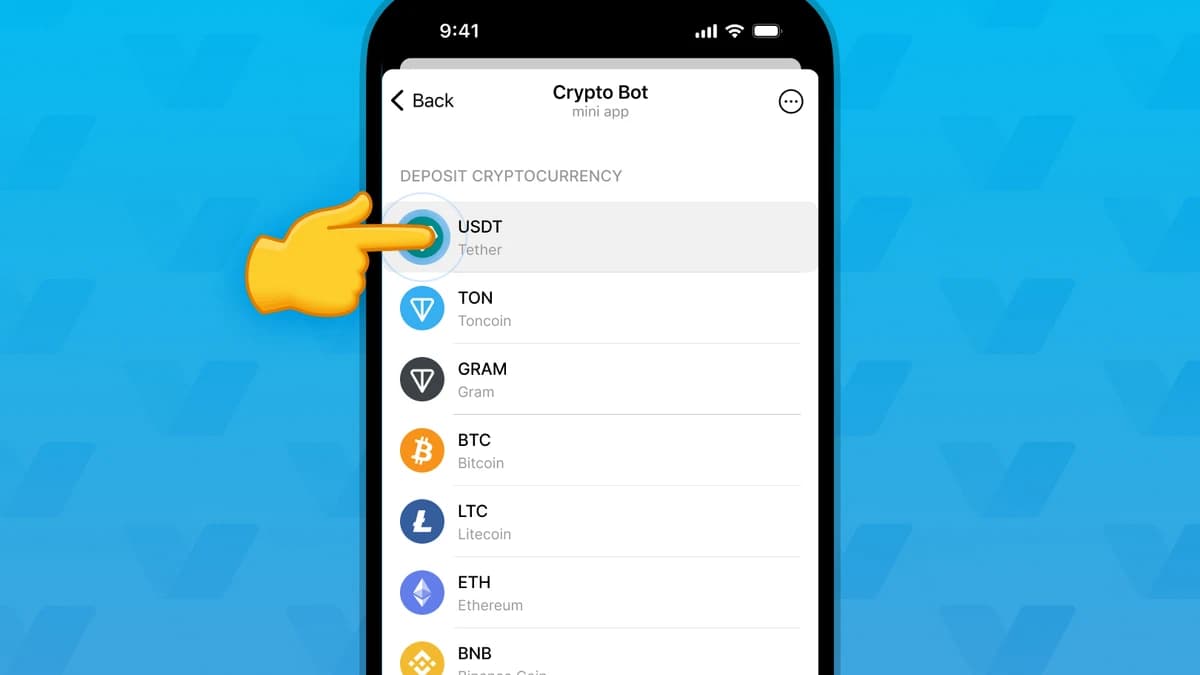
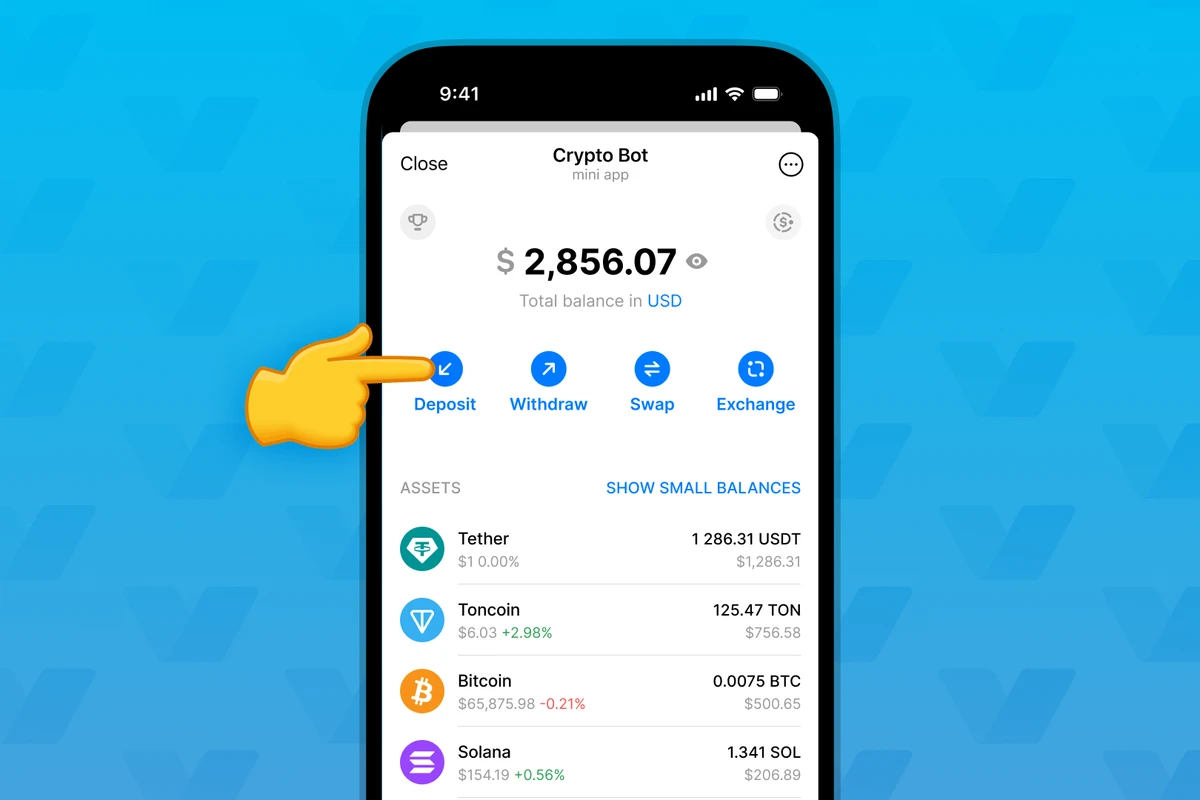
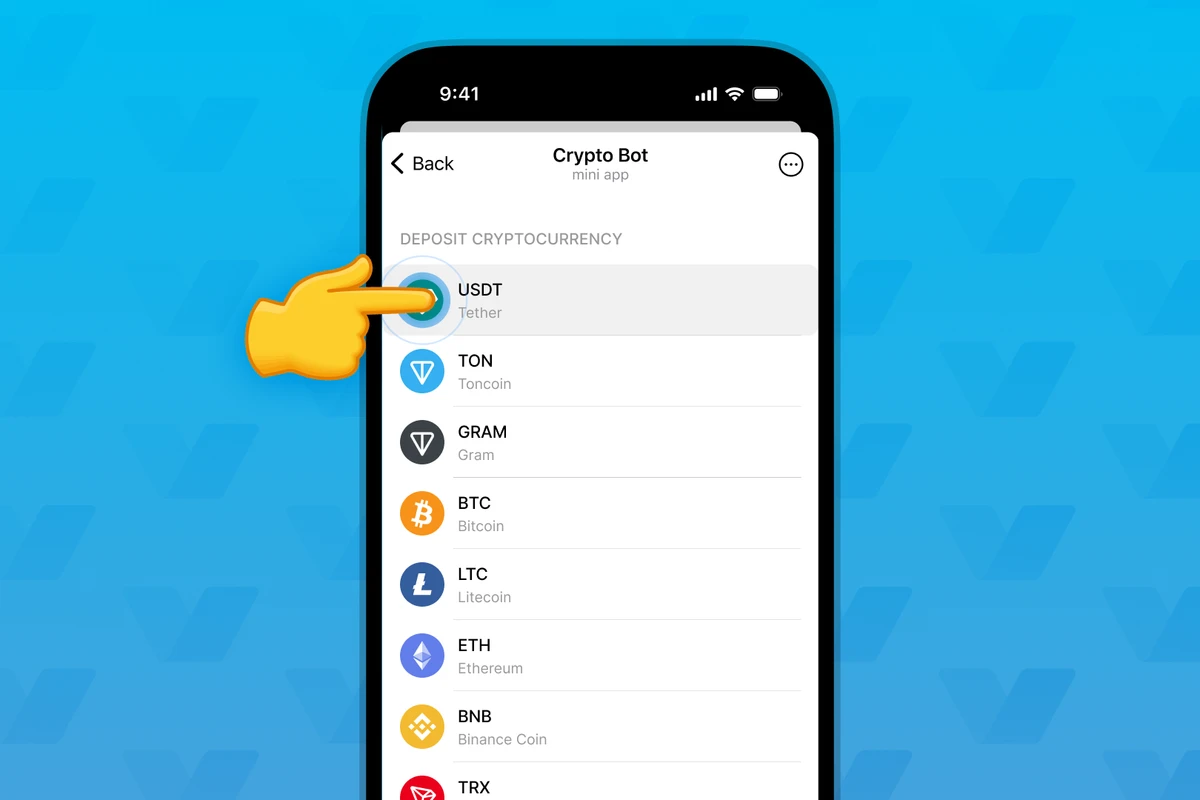
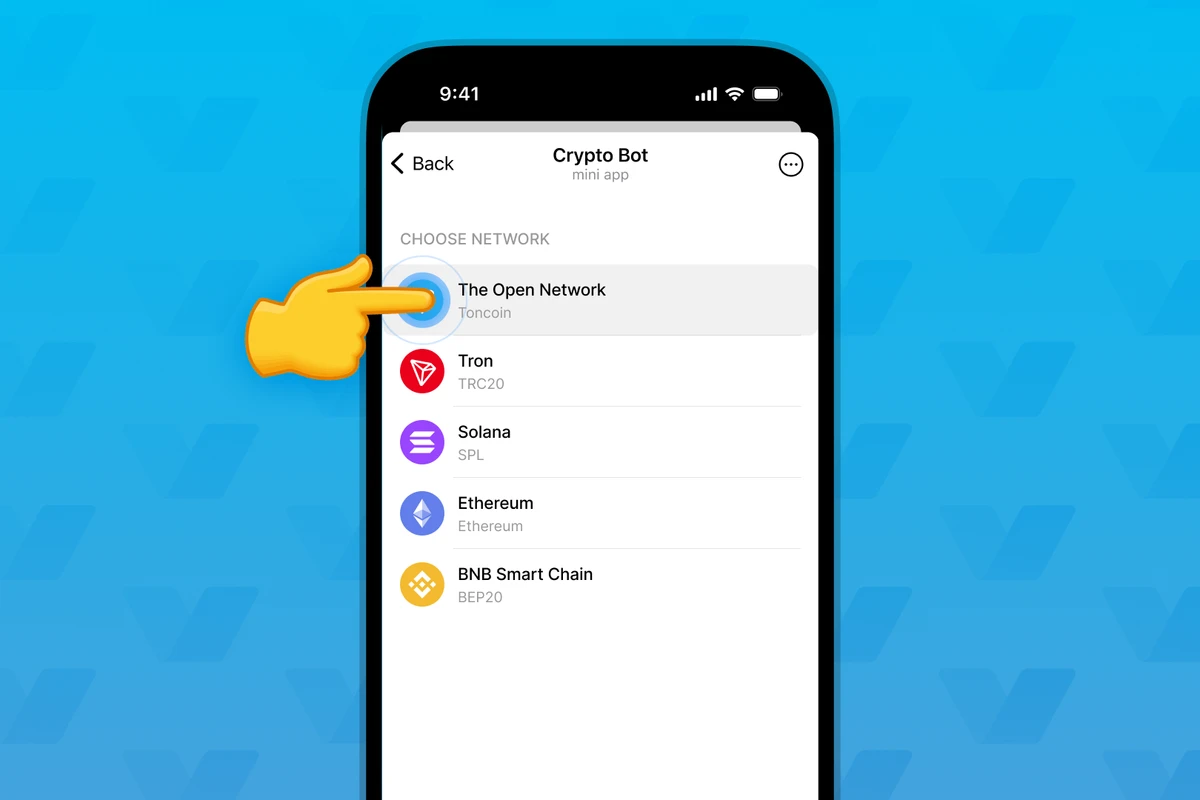
The images are instructional examples from Crypto Bot's official deposit guide, not our balances or earnings. Check the live app's token and network labels; its layout can change.
1. Open Crypto Bot in Telegram
Open Crypto Bot through the link above, complete the requested account setup and open the wallet mini app. Keep your Telegram login code and wallet passcode private.
2. Choose Deposit and USDT
Open Deposit, then choose USDT, also labelled Tether. You are preparing to receive cryptocurrency from another service.
3. Select Tron TRC20
For the payout described here, choose Tron / TRC20. Crypto Bot supports USDT on several networks, so choosing USDT alone is not enough.
4. Copy your deposit address
Use Copy on your own deposit screen. Paste the address into the payer's form and compare its beginning and ending with the original. Read the live deposit minimum.
Get a current address directly from your wallet each time you prepare a payout. An illustration or forwarded message is not your receiving address.
A first payout example: approved does not always mean available
On AntiMedia Earn, the current payout information specifies weekly USDT TRC-20 payouts from $100, following the required checks and any applicable hold. Other compatible receiving wallets are also an option.
Consider this illustrative balance, not a claim about anyone's earnings:
| Balance item | Amount | What it means |
|---|---|---|
| Approved rewards in total | $120 | Accepted work, including funds still held |
| Rewards still on hold | $45 | These funds are not available yet |
| Available now | $75 | Below the $100 withdrawal minimum |
| Available after that hold ends | $120 | Enough to request a payout, subject to checks |
At the $75 stage, creating a new wallet changes none of the numbers. You can prepare the address and continue with suitable work, but you cannot request a $100 payout from $75 available.
Once all $120 becomes available, a $100 withdrawal request leaves $20 on the platform balance. Check the actual amount and any payout deductions before confirming. That $20 has not vanished or moved to Telegram; it stays with the task platform until another eligible withdrawal.
Check available balance before requesting payment. Pending work has not passed review; rejected work does not pay; an approved reward still on hold is waiting to become available. The receiving wallet cannot change any of these states.
5. Request an eligible payout
Read four fields together: amount, USDT, TRC-20 and your receiving address. Submit through the payer's withdrawal process and keep the request record. Saving an address alone does not send money.
For a hold, check its end date. For a pending withdrawal, follow the request status rather than creating copies. If the details need correcting, contact the payer before the transfer is sent.
6. Check the incoming transaction
Keep the transaction hash, or TXID, once the payer sends the transfer. It links the withdrawal record to the blockchain payment and wallet deposit.
The transfer needs blockchain confirmations before the wallet credits it. A requested withdrawal, sent transfer and credited deposit are separate stages. Give support the stage reached and the TXID when available.
Which Crypto Bot actions are free?
Crypto Bot states that it charges no deposit commission. That does not make every cryptocurrency operation free:
| Action | What to check |
|---|---|
| Receive USDT into Crypto Bot | No Crypto Bot deposit commission; check the deposit minimum |
| Receive a blockchain payment | The sender may have network or service fees |
| Send a check inside Telegram | Crypto Bot documents fee-free checks to another user |
| Withdraw to an external wallet | Check the current asset and network fee |
| Sell USDT or exchange assets | Check P2P or Exchange fees and the offered rate |
Internal checks and blockchain withdrawals are different ways to send cryptocurrency. There is no reason to make a paid swap just to hold an incoming USDT balance.
Keeping and using your USDT in the messenger
Once credited, the balance stays in the wallet until you use it. Checks send crypto to another Telegram user; external transfers use the withdrawal flow and recipient's network.
For local money, the P2P Market involves trading with another person. The Exchange handles asset trading. Both services have their own conditions and neither is required to receive a work payment.
Keep the payment history in the messenger and protect the account used to access it. Choose how much you want this custody service to hold.
Check country availability before opening the wallet
Check availability for your location, residence and citizenship, as well as your local rules. Restrictions cover location, residence and citizenship, including Uzbekistan, India, the UK and the US. Use another supported route where this wallet is unavailable. Deposits can also require AML review.
Quick answers
Does Crypto Bot pay me for opening a wallet?
Opening a wallet does not earn a work reward. A client or task platform pays for accepted work; Crypto Bot receives and holds the cryptocurrency.
Is receiving USDT free?
Crypto Bot states that it charges no deposit commission. The sender may have network or service fees, and later withdrawals or exchanges can have their own charges.
Which network should I choose?
Match the network specified by the payer. For USDT TRC-20, select Tron TRC20 when obtaining your deposit address.
Can I use it from any country?
Check country availability in Crypto Bot and your local rules before opening an account. Access can depend on location, residence and citizenship.
Can I use another wallet?
Yes, if the payer accepts it and it supports the same token and network. Opening Crypto Bot is optional.
Open wallet in Telegram